How to Build Your Own AI Learning Academy with Gemini Notebook
Lloyd Evaroa, Founder, Really Good Marketing

I saw someone using Gemini Notebook and gave it a try. It's now my first choice when I want to learn something new. I think it's amazing, and that's why I wanted to write this post and share it with you.
You give it the sources you want and it becomes your own personal knowledge bank, a learning academy built around one topic that only answers from what you've put in.
The example I'm using is my hobby, sport videography. You can see what I shoot here: @all_star_clips_nz on Instagram.
This isn't really about cameras
You might be wondering why a Marketing & AI blog is talking about cameras. You don't need to care about cameras for this to be useful.
The camera is just my example. The actual thing is this: I had something I wanted to learn, I found good information on it, and I put that information into a notebook so I could ask it questions and get pointed back to where the answer came from. That's it. That works for a camera setting just as well as it works for Xero, getting off Xero, or Google Ads, or how to challenge a Google review about your business.
What it does differently
Gemini Notebook answers from the sources you give it. Manuals, PDFs, YouTube videos, websites, your own notes. You choose what goes in, so you don't get broad knowledge about everything. That helps avoid the hallucinations, clutter and generalisations you often get from AI when it has no good context. Because the answers are grounded in the sources I've given it, I have something to check them against. That's different from asking a general AI the same question and hoping the answer is right.
It suits anyone with a hobby, a passion or a professional topic where the knowledge is vast and they need a hand bringing it into focus.
A phrase I once heard: how do you eat an elephant? One bite at a time. A big topic like videography or internet marketing is an elephant. A notebook built around one small part of it is a bite.
The same idea works for anything you need to learn
Say you needed to get your head around Xero. You could put in Xero's own help documentation, a few tutorial videos, and any notes your accountant or bookkeeper has sent you, then ask something like "explain how GST works when I receive payment from a customer."
Say you wanted off Xero altogether. Same approach: feed it the export guides, the documentation for whatever you're moving to, and ask it to walk you through the steps for your actual setup.
Say someone left you a Google review you didn't think was fair. Feed it Google's own policy on removing reviews, and ask it what your options actually are and whether your situation fits any of them.
You're not asking AI to magically know everything. You're giving it the material you want it to learn from, on the one thing you actually need answered.
Setting it up
Go to notebook.google.com, sign in, and you get a blank notebook. Give it a name up the top left, something concrete so you know what it is when you come back to it. Mine is Sony A6700 Video Exposure.
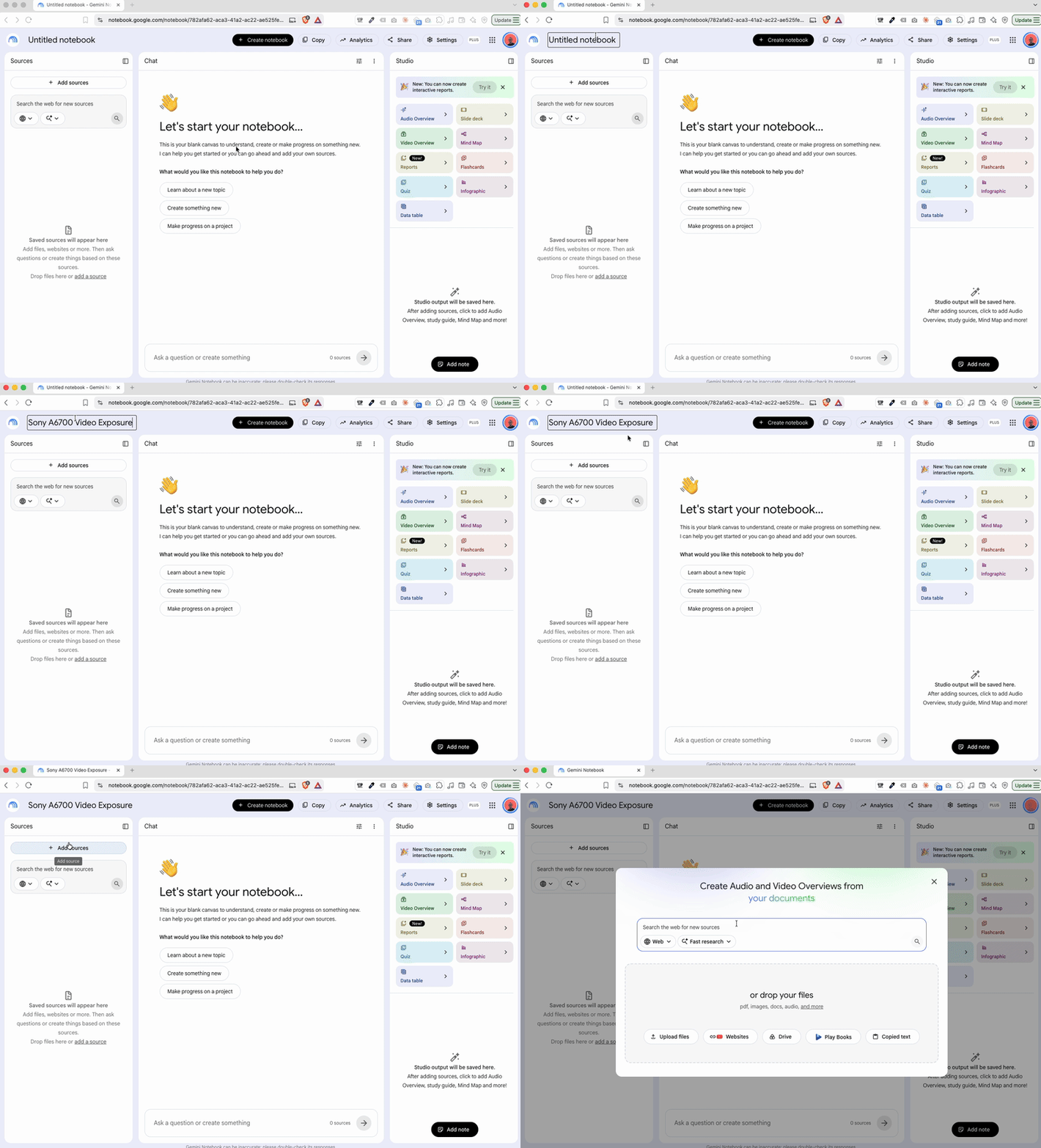
Think about what the notebook is for before you add anything. My biggest trouble is light, so I built mine around exposure rather than "how to use my camera". Narrower is better.
Then add sources. Mine are seven in-depth YouTube videos, some up to an hour long, all on either the a6700 or exposure for filming, plus the Sony manual for the camera. Together the videos come to roughly 10 to 20 hours of content from people with years of experience using the camera. You can also drop in PDFs, manufacturer FAQs and documentation, or anything else that suits your topic.
The notebook is only as good as what you put in it. If you fill it with ten random YouTube videos from people who don't know what they're talking about, you get a very impressive-looking collection of information from ten people who don't know what they're talking about.
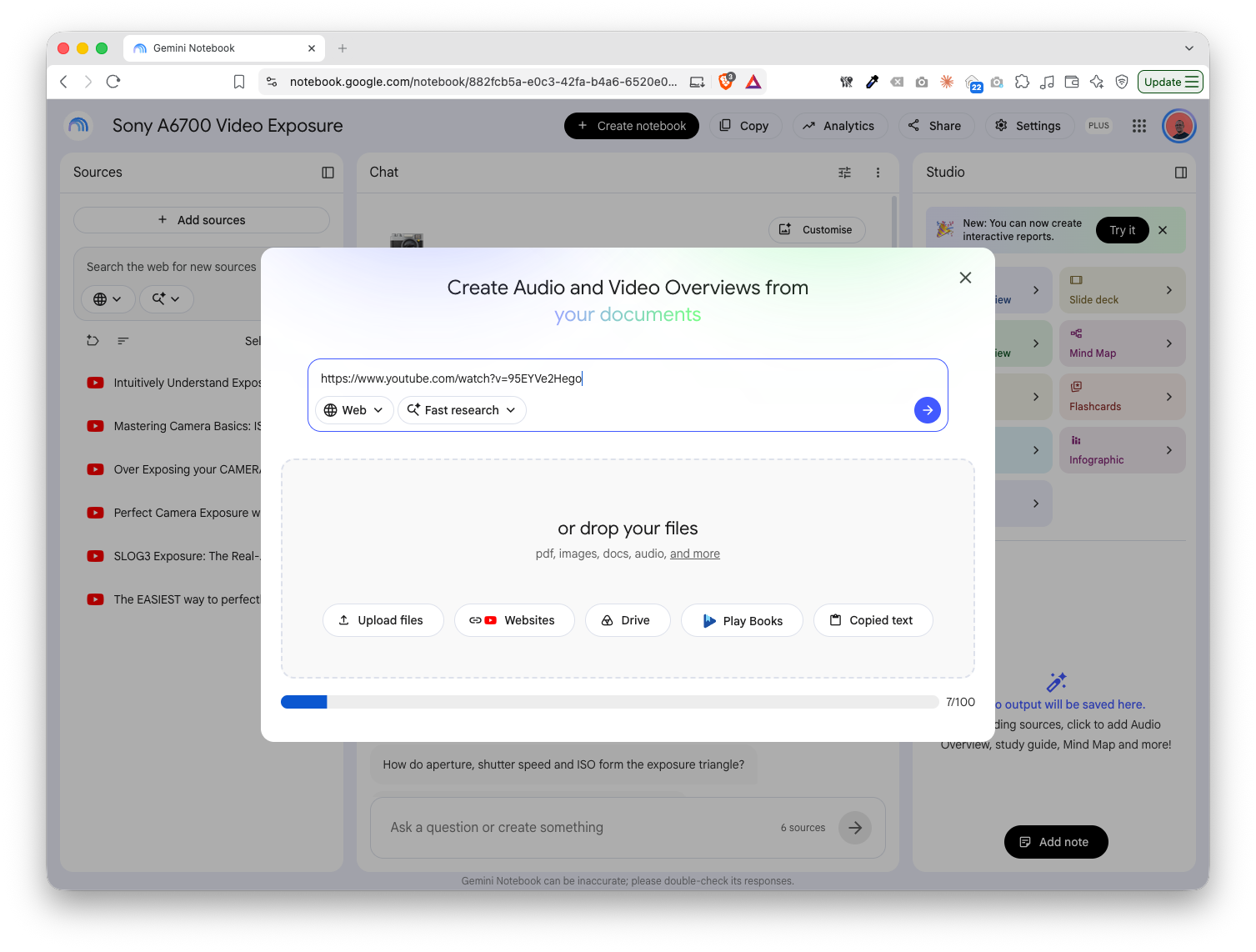
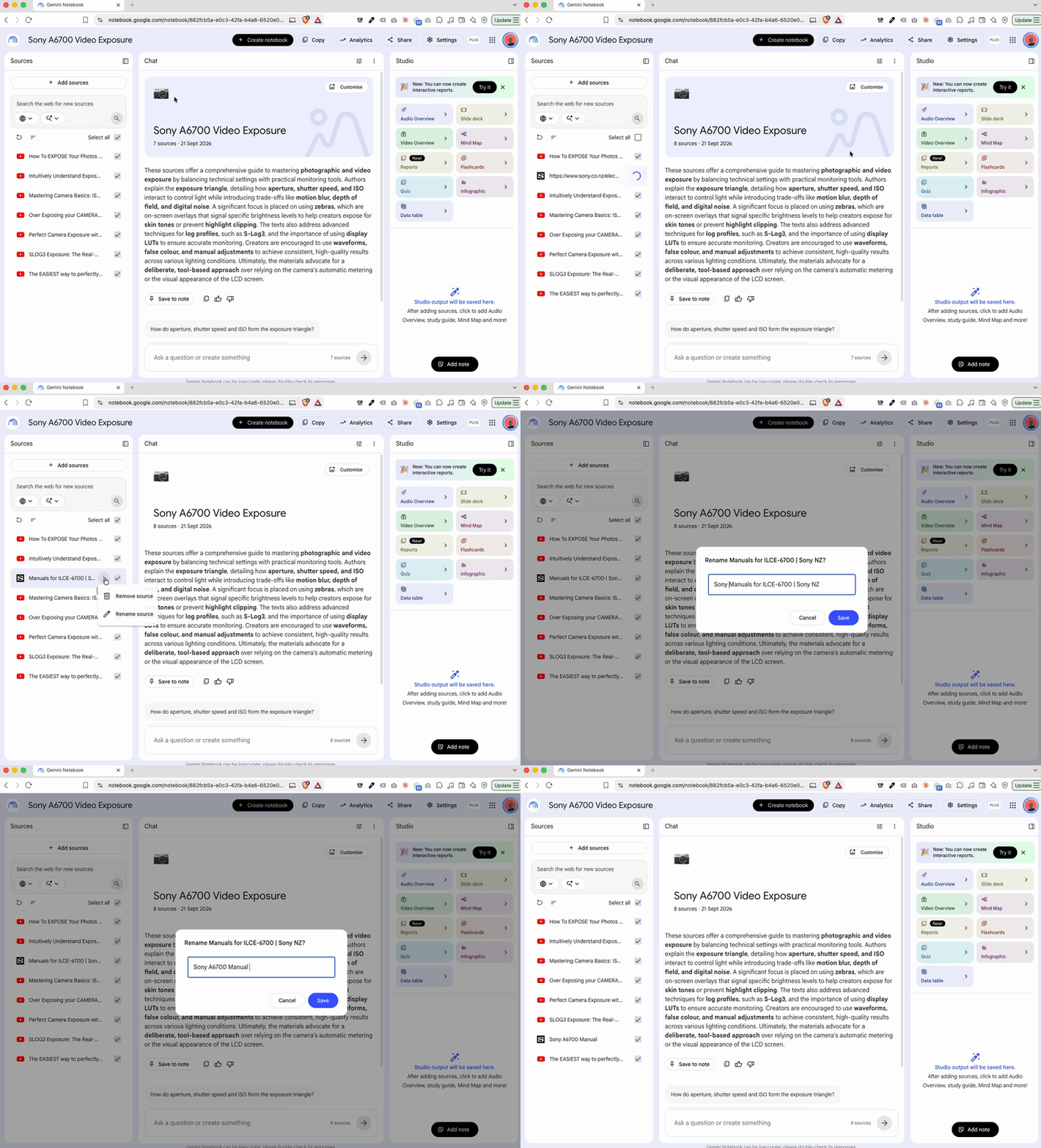
Rename your sources. YouTube titles aren't much use once they're sitting in a repository, so I changed them to something that makes sense when an answer comes back citing them.
Asking it a real question
A simple search gets you a simple answer. The better use is throwing a real problem at it.
Mine was harsh sunlight. Filming rugby at 60 frames a second in bright sun is a good way to blow out your footage, and the usual fix is an ND filter. Anyone with a hobby like fishing, photography or videography will tell you good gear is heavy on the wallet. I did buy a lens filter, but I've got really good quality glass, and putting the filter on it wasn't the same quality. The video wasn't looking quite as nice.
So before saving up for a better one, I asked the notebook what my options were. "Teach me exposure" would have got me a lecture. I asked it something real instead, with the actual constraint attached:
I am dealing with harsh sunlight outdoors, what are my options when filming 60fps in 4k?
I can't get an expensive ND filter at the moment

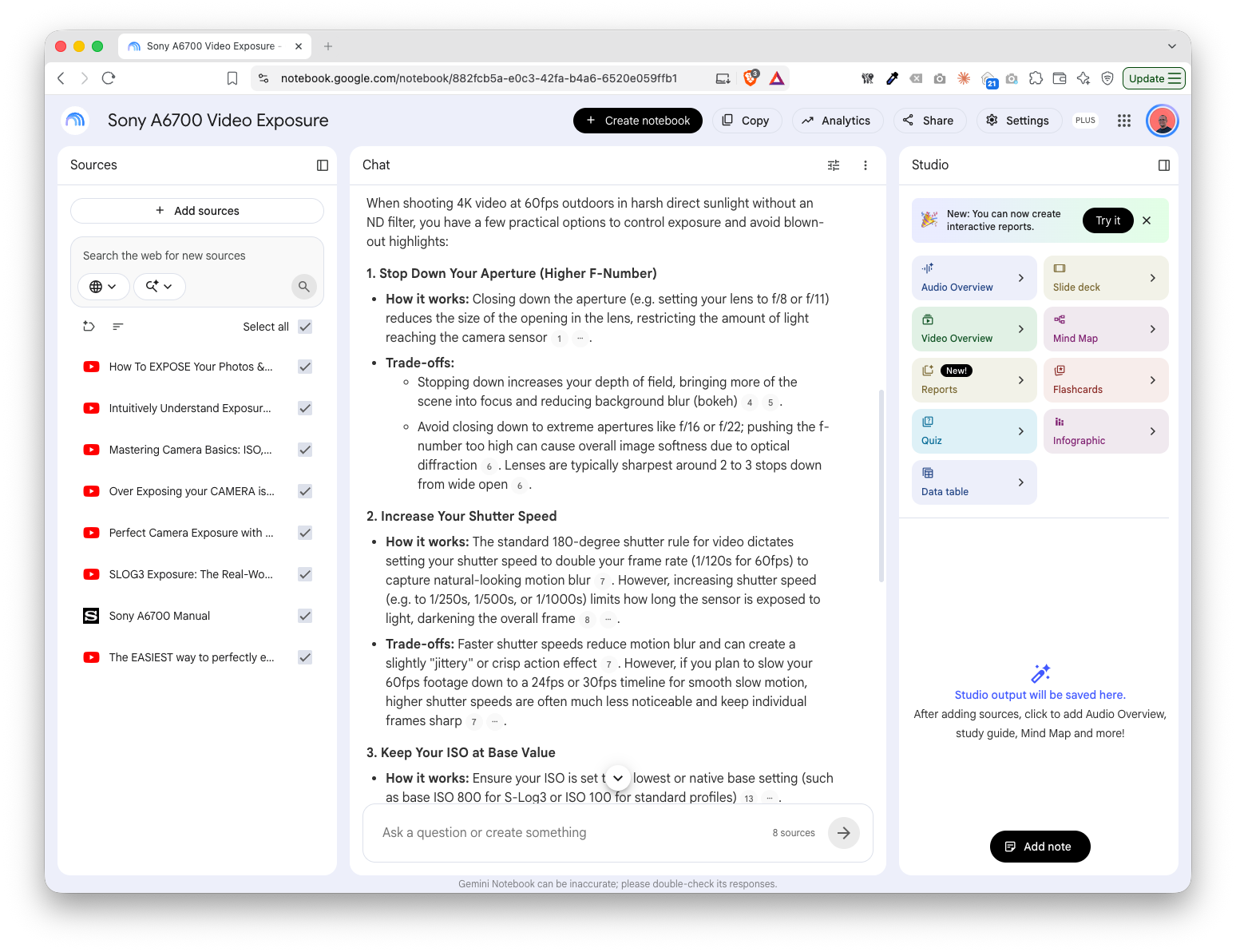
It searched all eight sources and came back with:
- Stop down your aperture.
- Increase your shutter speed.
- Keep your ISO at base level.
- Reposition your subject, or work in the shade.
- Consider inexpensive fixed ND filters or step-up rings.
- Use zebra stripes to avoid clipping.
I've worked heavily with two of those, shutter speed and zebra stripes, to keep my exposure where I want it. They've been the useful ones for me.
Each point in the answer has small numbered chips next to it. Those are the citations. Click one and it takes you to the part of the source it came from, so you can check it against the original. That matters, because the footer on the page says Gemini Notebook can be inaccurate and to double-check its responses. It told me not to close the aperture down past f/16 or f/22 because of diffraction, and the chip next to that line shows where it came from.
I watch a lot of camera content on Instagram and TikTok, and with so many cameras and new releases doing the rounds, I'd genuinely forgotten what the best ISO levels for noise are on my own a6700 shooting S-Log3. So I asked it to check the numbers I had in my head: whether the native base ISO levels for S-Log3 on the a6700 are 800 and 2500. It said yes, with citations, and added that 800 suits daylight and outdoor shooting while 2500 is for low light.
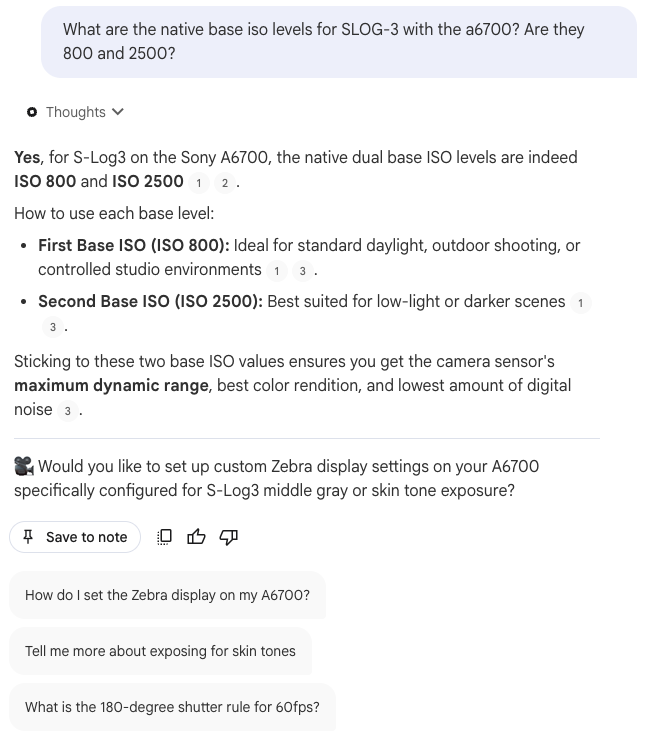
That answer finished by offering to set up custom zebra display settings on the a6700 for S-Log3, and one of the suggested follow-up questions was "How do I set the Zebra display on my A6700?" Zebras are very important to how I shoot, so that was exactly the right follow-up.
The steps, if you want them written down
- Pick one thing with specificity, e.g. "A6700 exposure for outdoor rugby."
- Find good sources.
- Put them together in the notebook.
- Tell it what you're actually struggling with.
- Check the citations. Go back to where the answer actually came from.
- Ask the next question.
What I've shown here is a heavily summarised version. I went through a lot of iterations of researching and pulling things together, and Gemini Notebook helped me bring it all together quickly and with clarity.
Running a business means you're constantly having to learn something you didn't expect to need. New software, a compliance question, a marketing problem, whatever it is this month.
I haven't become a professional videographer because I built a notebook. I've still got plenty to learn. But when I hit a problem now, I've got a way of taking a big subject, narrowing it right down, finding good information and working through the bit I actually need. Same thing would work for whatever you're stuck on.